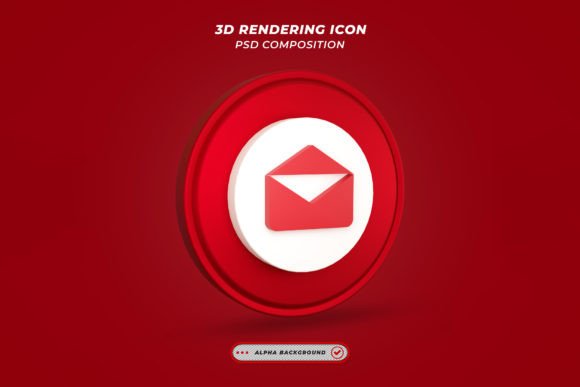
High-Resolution 3D Render Mail Icon
In the fast-paced world of digital communication, visual clarity is paramount. Whether you are designing a website, crafting an email newsletter, or building a mobile application, the icons you choose serve as silent guides for your users. Among these, the mail icon remains one of the most universally recognized symbols for contact and communication. However, standard flat icons often lack the depth and tactile appeal that modern design trends demand. This is where a 3d Render Mail Icon becomes an invaluable asset. It bridges the gap between functional utility and aesthetic sophistication, offering a polished look that captures attention without sacrificing usability.
The value of this specific resource lies not just in its visual appeal, but in its technical accessibility. Designed with the user in mind, this template eliminates the steep learning curve often associated with high-end 3D graphics. With a resolution of 4500 x 3000 pixels at 300 DPI, it provides the crispness needed for both large-scale print materials and high-density digital screens. But beyond the raw specifications, the true power of this file is its organization and ease of use, making it a versatile tool for a wide range of creators.
Why Quality and Flexibility Matter
For many designers, the frustration with stock assets comes from their rigidity. A pre-rendered image is often static; if it does not match your brand’s color palette perfectly, you are forced to either compromise your design or spend hours recreating the object from scratch. This 3d Render Mail Icon solves that problem through the use of Smart Object Replacement Layers. This feature is a game-changer for efficiency. Instead of manipulating complex 3D geometry or lighting setups, you simply double-click on the smart object layer, make your edits, and save. The changes propagate instantly across the entire composition.
This level of editability means that all colors can be changed easily. Whether your brand relies on a soft pastel blue, a vibrant corporate red, or a sleek monochrome black, the icon adapts seamlessly. This flexibility ensures that the asset does not just sit on top of your design but integrates into it. For professionals who manage multiple client accounts, this speed is crucial. It allows for rapid iteration during the brainstorming phase and quick adjustments during final delivery, ensuring that deadlines are met without compromising on quality.
Tailored Solutions for Different Creators
Different users approach design tools with different priorities. Understanding how this asset fits into various workflows can help you decide if it is the right fit for your current project.
For Beginners and Hobbyists
If you are new to graphic design, the prospect of creating realistic 3D objects can be intimidating. Software like Blender or Cinema 4D requires significant time investment to master. This template removes that barrier. Because the file includes both PSD and JPG formats, you can start working immediately in Photoshop, a tool many beginners are already familiar with. The organized layers mean you do not have to hunt for the right element. You can focus on learning how to adjust colors and compositions rather than struggling with rendering engines. It serves as an excellent educational tool, allowing you to reverse-engineer how professional 3D renders are structured and lit.
For Marketing Professionals and Entrepreneurs
Marketers and small business owners often wear many hats. You may need to create social media graphics, presentation decks, and website banners all in the same week. Time is your most scarce resource. A high-quality 3d Render Mail Icon allows you to maintain a premium brand image without hiring a specialized 3D artist. The high resolution ensures that your visuals look sharp on retina displays and in printed brochures alike. By using a consistent, high-quality visual style, you build trust with your audience. A polished icon suggests a polished service, reinforcing the professionalism of your business.
For Web Designers and Developers
While web interfaces often favor lightweight SVGs for performance, there are many contexts where a rich, textured image adds significant value. Hero sections, landing pages, and promotional emails benefit greatly from the depth and shadow play of a 3D render. The 4500 x 3000 resolution provides ample room for cropping and scaling. You can extract specific angles or details to create unique UI elements. Furthermore, because the colors are easily adjustable, you can create multiple variants for light and dark modes, ensuring accessibility and visual harmony across different user preferences.
Practical Applications and Use Cases
To get the most out of this asset, consider where it can add the most impact in your projects. Here are a few practical examples:
- Email Signatures and Newsletters: Replace the standard text-based "Contact Us" link with a visually engaging 3D mail icon. It draws the eye and increases click-through rates by breaking up text-heavy layouts.
- Presentation Decks: When pitching to clients or investors, visual aids help retain attention. Using a high-resolution 3D icon in your slide deck regarding communication strategies or customer support metrics adds a layer of professionalism that flat clip art cannot match.
- Social Media Campaigns: Create eye-catching posts announcing new contact methods or customer service updates. The depth of the 3D render stands out in crowded social feeds, especially when paired with bold typography.
- Print Materials: Thanks to the 300 DPI resolution, this icon is suitable for business cards, flyers, and posters. It retains its crisp edges and smooth gradients even when printed, ensuring your brand looks premium in physical form.
Understanding the Technical Details
It is important to note that while the template is designed for ease of use, understanding the file structure helps maximize its potential. The included PSD file contains organized layers, which means you can toggle visibility, adjust opacity, or apply additional effects without affecting the core 3D render. The Smart Object feature is the heart of this flexibility. When you double-click the smart object, you are editing the source file. Once you save and close that window, the main document updates automatically. This non-destructive workflow ensures that you can always revert to the original state if needed.
Additionally, the images shown in previews are for presentation purposes only. This is a standard practice in digital asset sales to protect intellectual property and demonstrate versatility. It reminds users that the value lies in the template itself—the lighting, the geometry, and the layer structure—rather than the specific props or backgrounds used in marketing images. You are free to place the mail icon against any background that suits your brand identity.
Making the Right Choice for Your Workflow
When evaluating whether to download this 3d Render Mail Icon, consider your current needs. If you prioritize speed, consistency, and high visual quality, this template is an efficient solution. It is particularly useful for those who need to produce multiple variations of a design quickly. The ability to change colors effortlessly means you can create a cohesive suite of icons for different departments or campaigns without starting from zero each time.
For educators and content creators, this asset can also serve as a teaching aid. Demonstrating how smart objects work in Photoshop using a real-world, high-quality example helps students grasp the concept faster than abstract exercises. It shows the practical application of non-destructive editing, a fundamental skill in modern digital design.
Ultimately, the goal of this template is to simplify your creative process. By handling the complex aspects of 3D rendering and lighting, it allows you to focus on the bigger picture: your message and your audience. Whether you are a freelancer looking to impress a client, a blogger wanting to enhance your site’s aesthetics, or a marketer aiming for higher engagement, this tool provides the professional polish you need with minimal effort.
Thanks for downloading and exploring this resource. We encourage you to experiment with the settings, try different color combinations, and see how it enhances your projects. If you find this style helpful, be sure to check out other works in the collection. You might find complementary icons or templates that further streamline your design workflow and elevate your visual storytelling.