Integrating the Geometric Shapes Collection into Professional Design Workflows
In the fast-paced environment of digital design and content creation, efficiency is not merely a luxury; it is a necessity. Whether you are a freelance graphic designer managing multiple client deadlines, a marketing director overseeing brand consistency, or an educator developing engaging visual materials, the foundation of your work often relies on basic structural elements. This is where a comprehensive Geometric Shapes Collection becomes an indispensable asset. Rather than viewing these assets as simple clipart, professionals recognize them as modular building blocks that streamline the creative process, ensure visual coherence, and significantly reduce production time.
A high-quality set of geometric doodles and icons serves as a versatile toolkit that fits seamlessly into various stages of a project lifecycle. From initial brainstorming and wireframing to final polish and export, having immediate access to clean, scalable shapes allows creators to focus on higher-level conceptual decisions rather than getting bogged down in repetitive drawing tasks. The value lies not just in the shapes themselves, but in how they are packaged, organized, and delivered for maximum compatibility across different software ecosystems.
Strategic Placement in the Creative Process
Understanding when and how to deploy geometric assets can transform a chaotic workflow into a structured pipeline. Typically, the integration of a Beautiful unique geometric shapes collection occurs at three distinct phases: preparation, execution, and refinement.
During the preparation phase, designers often use simple shapes to create mood boards or low-fidelity wireframes. Instead of sketching rough circles and squares by hand, dragging and dropping pre-made SVGs allows for rapid iteration. This speed is crucial when presenting concepts to stakeholders who need to visualize layout possibilities without being distracted by unfinished details. The vertical and horizontal orientation options included in a robust collection provide immediate flexibility, enabling quick adjustments to aspect ratios without manual manipulation.
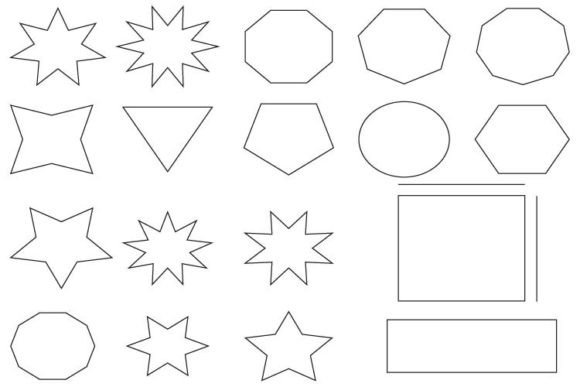
In the execution phase, these shapes transition from placeholders to integral design components. For business designs, such as annual reports, pitch decks, or social media graphics, geometric elements provide structure and guide the viewer’s eye. A well-placed triangle can direct attention to a call-to-action button, while a series of interconnected circles can illustrate a process flow or team hierarchy. Because the files are provided in high-resolution formats, including 300dpi PNGs, they maintain crispness even when scaled for large-format printing or high-density digital displays.
Finally, during the refinement phase, the availability of editable source files like AI and EPS becomes critical. Designers may need to adjust stroke weights, change colors to match specific brand guidelines, or combine multiple shapes to create custom icons. Having all designs contained within a single Ai file or separated EPS files ensures that these modifications are non-destructive and efficient, preserving the integrity of the original vector paths.
Technical Compatibility and File Management
The true utility of any digital asset library is determined by its technical versatility. A fragmented workflow often results from incompatible file types or poor resolution. A professional-grade Geometric Shapes Collection addresses these pain points by offering a multi-format package designed for cross-platform interoperability.
- PNG Files (300dpi): With 100 PNG files included, users have immediate access to raster images suitable for web use, presentations, and documents where editing is not required. The 300dpi resolution ensures that these images remain sharp in printed materials, bridging the gap between digital and physical media.
- SVG Files: The inclusion of 100 SVG files is perhaps the most significant feature for modern web and app developers. Scalable Vector Graphics are lightweight, code-friendly, and infinitely resizable without quality loss. They integrate directly into HTML/CSS workflows, allowing developers to manipulate colors and sizes via code, which is essential for responsive design.
- EPS and AI Files: For traditional print designers and illustrators, the 3 EPS files and 1 Ai file serve as the master sources. These vector formats allow for complete control over anchor points and bezier curves. Keeping all designs in a single Ai file simplifies asset management, reducing the time spent searching through folders for individual elements.
- JPG Previews: The 3 JPG files act as quick-reference catalogs. When browsing through hundreds of assets, loading lightweight JPEG previews is faster than opening heavy vector files, enabling quicker selection and decision-making.
This diverse format support ensures that the collection interacts smoothly with industry-standard tools such as Adobe Illustrator, Photoshop, InDesign, as well as web-based platforms like Canva, Figma, and Sketch. It eliminates the friction of file conversion, allowing teams to collaborate regardless of their preferred software stack.
Enhancing Brand Consistency and Visual Identity
For entrepreneurs and small business owners, maintaining a consistent visual identity is crucial for brand recognition. Ad-hoc creation of shapes often leads to inconsistencies in line weight, corner radius, and proportion. By adopting a standardized geometric shapes collection doodles set, businesses can establish a cohesive visual language.
Consider a startup launching a new app. The UI/UX team can use the same geometric icons for buttons, loaders, and background patterns. Because the shapes share a common aesthetic—whether it be hand-drawn doodles or precise mathematical forms—the user experience feels unified. This consistency extends to marketing materials; the same shapes used in the app interface can appear in email newsletters, social media posts, and printed brochures. This repetition reinforces brand identity without requiring custom illustration for every touchpoint.
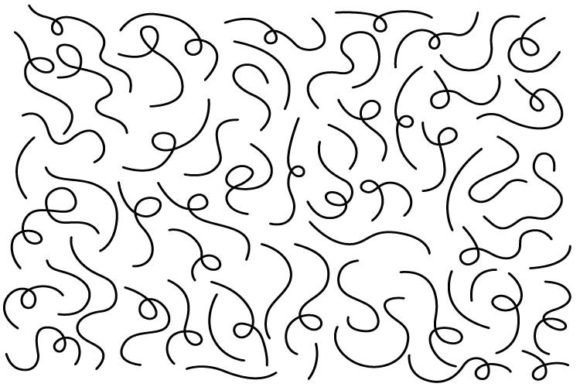
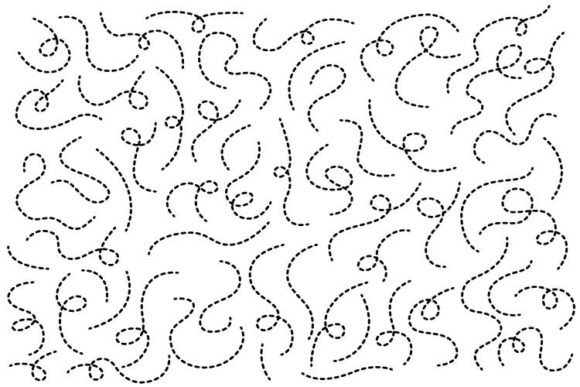
Moreover, the "doodle" style mentioned in many collections adds a human touch to corporate communications. It softens the rigidity of pure geometry, making business designs feel more approachable and creative. This is particularly effective for educators and bloggers who want to convey complex information in a friendly, accessible manner.
Practical Implementation Tips for Efficiency
To maximize the return on investment from this asset library, users should adopt specific organizational strategies. First, create a dedicated folder structure on your local drive or cloud storage. Separate the formats into subfolders (PNG, SVG, EPS, AI) to prevent clutter. Within the vector folders, consider organizing by shape type or theme if the collection is large.
Second, leverage the power of symbols and libraries in design software. Import the Ai file into Adobe Illustrator and convert frequently used shapes into Symbols. This allows you to drag and drop instances of the shapes into any document, and if you update the master symbol, all instances update automatically. This is invaluable for long-term projects where design tweaks are common.
Third, for web developers, optimize the SVG files before deployment. While the provided SVGs are clean, using a tool to minify the code can reduce file size and improve page load speeds. You can also inline critical SVGs directly into HTML for instant rendering, reducing HTTP requests.
Fourth, establish a style guide that defines how these geometric shapes should be used. Specify acceptable color palettes, minimum sizing, and spacing rules. Share this guide with all team members, including freelancers and external agencies, to ensure that everyone utilizes the Geometric Shapes Collection in a way that aligns with the overall brand strategy.
Long-Term Value and Scalability
Investing in a comprehensive shapes set is not a one-time fix but a long-term resource. As your projects grow in complexity, the need for scalable, high-quality assets increases. Unlike custom illustrations that may become outdated or irrelevant, geometric shapes are timeless. They can be recolored, rotated, and combined to create endless variations, ensuring that the collection remains useful across multiple campaigns and years.
Furthermore, the educational value for junior designers should not be overlooked. Studying how professional vector shapes are constructed in the AI and EPS files can serve as a learning tool. Junior staff can analyze path structures, anchor point placement, and layer organization, improving their own technical skills in vector illustration.
In conclusion, a Geometric Shapes Collection is more than a bundle of files; it is a strategic tool that enhances workflow efficiency, ensures visual consistency, and supports creative flexibility. By understanding its role in the broader design process and leveraging its technical features, professionals across industries can elevate the quality of their output while reducing production time. Whether you are designing a corporate report, a mobile app interface, or educational content, integrating these assets into your routine provides a solid foundation for successful, scalable design execution.